
Some of the most popular games in the world cost nothing to download. Free-to-play games make their money from optional cosmetic items, battle passes or extra content, so you can play the full core game without paying. Here are the best free PC games, grouped by type, with honest notes on what you might be tempted to spend money on.
Download free games only from official stores such as Steam, the Epic Games Store, Riot Games or the developer's own website. "Free" versions of paid games on random websites are pirated and often contain malware.
How we picked these games
Every game on this list is genuinely free to download and play from an official store, with no time limit and no need to pay to access the main game. We chose games that are popular enough to find a match quickly, that are still regularly updated, and that treat free players fairly. We also noted how demanding each one is, because a free game is not much use if it will not run on your computer.
Prices of optional items, events and features change often, so treat the notes on spending as a general guide, and check each game's store page for the latest details.
Which free game should you start with?
| If you like... | Start with | Why |
|---|---|---|
| Fast action with friends | Fortnite | Easy to learn, with Zero Build for beginners |
| Precise aiming and tactics | Valorant | Runs on modest PCs and has a clear tutorial |
| Superheroes | Marvel Rivals | Familiar characters and chaotic team fights |
| Deep strategy | League of Legends | Huge community and plenty of beginner guides |
| Playing solo at your own pace | Warframe or Path of Exile | Lots to do without any pressure from other players |
| Short sessions | Rocket League or browser games | Matches of a few minutes, or instant play with no install |
Best free shooters
1 Fortnite
Still one of the biggest games in the world. Drop onto an island with up to 100 players and be the last one standing. If building is not your thing, the Zero Build mode removes it entirely, and the creative modes include thousands of player-made games.
Optional spending: skins and the battle pass. None of them make you stronger.
2 Valorant
Two teams of five take turns to attack and defend. Precise aim matters, but each character also has abilities such as smoke walls and healing. Valorant is designed to run well even on modest PCs.
3 Counter-Strike 2
The successor to CS:GO and one of the biggest esports games. Pure gunplay with no special abilities. Some features, such as ranked play for new accounts, may require a one-time Prime upgrade.
4 Apex Legends
Fast, smooth movement and squads of three, each picking a Legend with special abilities. Excellent if you want a battle royale with tighter teamwork.
5 Marvel Rivals
Six-versus-six battles as Marvel heroes and villains, with destructible maps and team-up abilities between characters.
Best free strategy and MOBA games
6 League of Legends
Two teams of five battle to destroy each other's base. It has a steep learning curve but enormous depth, and it runs on very old hardware.
7 Dota 2
The other giant of the genre. Every hero is free to play from day one, so there is nothing to unlock with money except cosmetics.
Best free RPG and adventure games
8 Warframe
Fast sci-fi action as a space ninja, playable solo or in co-op. Warframe has been updated for more than a decade and is known as one of the fairest free-to-play games, because almost everything can be earned by playing.
9 Path of Exile
A dark, deep loot game in the style of Diablo with a huge skill tree. Its sequel, Path of Exile 2, is due for its full release on 11 December 2026.
10 Genshin Impact
A beautiful anime-style open world to explore, with elemental combat. Note that characters are unlocked through a random "gacha" system. It is possible to enjoy the whole story without paying, but set yourself a strict budget if you do spend.
Best free sports and casual games
11 Rocket League
Football played with rocket-powered cars. Easy to understand, very hard to master, and short matches make it perfect for quick sessions.
12 Free browser games
If your PC is old, or you only have a few minutes, browser games are the fastest option of all. There is nothing to download, and they work on school laptops and phones too. On Pikashowsgames you can play racing, puzzle, sports and arcade games instantly:
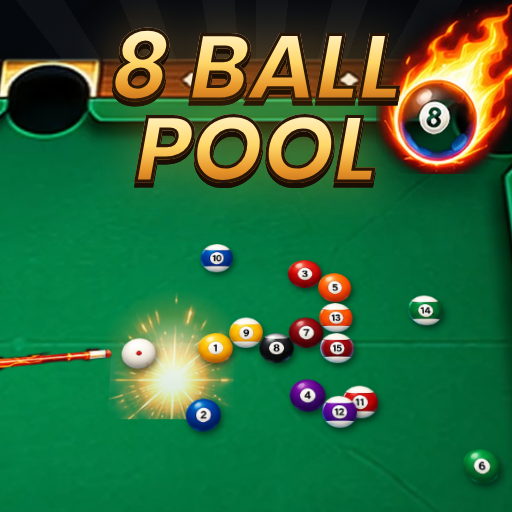 Neon Billiards PoolNeon Billiards Pool brings the classic game of billiards straight to your browser. Break the rack, claim your group o... Play free
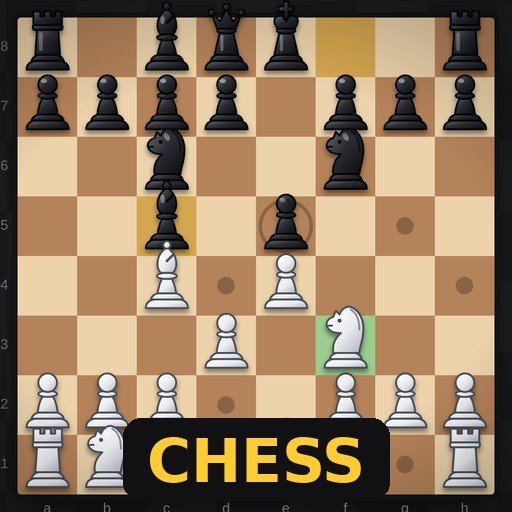 ChessChess is one of the oldest and most loved strategy games in the world, and this version lets you play a full game rig... Play free
How free-to-play games make money
Free-to-play games are free to download, but they are businesses, so it helps to understand how they earn money. Knowing the models makes it easier to decide what, if anything, is worth paying for.
| Model | How it works | Examples |
|---|---|---|
| Cosmetics | You buy outfits, weapon designs or emotes that change how you look, not how strong you are | Fortnite, Valorant, Dota 2 |
| Battle pass | A seasonal pass that unlocks rewards as you play; many games include a free track too | Fortnite, Apex Legends, Marvel Rivals |
| Characters or heroes | New characters can be unlocked by playing or bought straight away | League of Legends, Apex Legends |
| Gacha | Random draws for characters or items, paid with in-game currency | Genshin Impact |
| Convenience | Paying to save time, such as extra storage or faster progress | Warframe, Path of Exile |
The fairest free games are those where spending only affects appearance or saves time, and never makes you stronger than players who do not pay. All the shooters on this list follow that rule for their main competitive modes.
Protect your accounts
Free games are a big target for account thieves, because accounts can hold rare skins worth real money. Take five minutes to secure yours:
- Turn on two-factor authentication for Steam (Steam Guard), Epic Games, Riot and any other launcher you use.
- Use a different password for each gaming account, ideally stored in a password manager.
- Never log in through links in chat messages or emails offering free items or trades. Type the store's address yourself.
- Check your linked email is one you still use, so you can recover the account if something goes wrong.
Getting started in competitive free games
Games such as Valorant, Counter-Strike 2, League of Legends and Dota 2 have very experienced players, and the first few hours can feel tough. These tips make the start much easier:
- Do the tutorial and play against bots first. Learning the basics without pressure saves a lot of frustration.
- Learn one role or character well before trying many. Depth beats variety at the start.
- Mute chat if it gets unpleasant. Every one of these games lets you mute and report other players.
- Play with friends. Team games are far more fun, and easier, with people you can talk to.
- Take breaks after losses. Playing while frustrated usually leads to more losses.
Low-spec settings that make the biggest difference
If a free game runs slowly, change these settings first. Each one can give a big boost with little visual cost:
- Resolution scale or render scale: lowering it slightly makes a huge difference on weak graphics chips.
- Shadows: set to low or medium; they are one of the most demanding effects.
- Anti-aliasing: try a lighter option or turn it off.
- View distance and effects: lower them in large open games.
- Frame rate cap: capping at 60 FPS keeps a laptop cooler and quieter.
Free games and age ratings
Being free does not mean a game is suitable for every age. Many of the shooters on this list carry teen or older age ratings, and most online games include voice and text chat with strangers. Check the age rating on the store page, look at the game's parental and chat settings, and read our safety checklist for parents if a younger player in your home wants to join in. For younger children, puzzle, sports and racing games are usually a safer starting point.
How much PC do you need?
| PC type | Good choices |
|---|---|
| Old laptop or basic office PC | League of Legends, browser games, Rocket League on low settings |
| Entry-level gaming PC | Valorant, Dota 2, Fortnite, Warframe, Path of Exile |
| Mid-range gaming PC | Apex Legends, Counter-Strike 2, Marvel Rivals, Genshin Impact |
Free games for playing with friends
Free games are perfect for groups, because nobody has to buy anything to join in. Fortnite, Apex Legends and Marvel Rivals are built around squads and teams, Rocket League is great for quick two-versus-two matches, and Warframe and Path of Exile let friends team up for co-op missions. Most of these games also support cross-play, so friends on consoles can play with friends on PC. If you only have a few minutes together, a two-player browser game on one keyboard is the quickest option of all.
Free games and data usage
Free-to-play games are free to download, but they are often very large, and they receive frequent updates. Check the download size on the store page before you start, especially if you have a limited internet plan, and consider downloading big updates overnight on Wi-Fi. Browser games, by contrast, load in seconds and only download what they need to play.
Other ways to get great games for free
- Epic Games Store weekly giveaways: since 2018, Epic has regularly given away free games, usually one or more every week. Claim them and they stay in your library for good.
- Free weekends and demos: Steam and other stores regularly run free weekends for paid games, and many games offer a free demo so you can try before you buy.
- Free-to-play versions of paid games: some games, such as Counter-Strike 2, are free to play with optional upgrades.
- Browser games: no account, no download and no store needed, just open a page and play. They are perfect for older computers and short breaks.
How to keep free games free
- Turn off saved payment details in Steam, Epic and other launchers, especially on a shared family PC.
- Set a monthly limit before you buy anything, and stick to it.
- Be careful with random rewards such as loot boxes and gacha pulls, which are designed to encourage repeat spending.
- Never share your account or log in on websites offering "free skins" or "free currency". These are scams that steal accounts.
Ready for something bigger? See the best PC games of 2026. Parents can also read our safety checklist for online games.